The facts, copy-ready descriptions, screenshots and the icon, plus a plain account of what the app actually measures, including the parts that do not flatter it.
Checked against the app’s source code on 6 October 2026; store facts such as name, price and ratings were checked against the App Store listing on 6 October 2026. If anything here is wrong, email knowhiz.us@gmail.com and we will correct it.
Restful was previously listed on the App Store as “Restful by DoWhiz” and then as “Restful: Sleep Tracker & Sound”. Since version 1.0.7 it has been “Restful: Sleep Sound Mixer”: the same app (App ID 6762536221) from the same seller, Curastone CORP. The earlier names do not describe what it does: Restful does not detect sleep or measure sleep stages.
Written to be copied as-is. Every claim in them is checked against the app.
Short description
Restful is an iPhone and iPad sound mixer and nap timer from Curastone CORP. It includes four nature tracks, four synthesized city ambiences, a ten-channel mixer and a fixed-time alarm. An optional overnight sound curve, off by default, charts relative room sound on the phone; it does not detect sleep or measure sleep stages. Audio is not uploaded. Released version 1.0.9 has no subscription, in-app purchase or ads; the US price was USD 2.99 on 6 October 2026. Check the current local App Store price before buying.
87 words
One sentence
Restful is an iPhone sound mixer and nap timer. Its optional room-sound curve does not detect sleep. Released version 1.0.9 has no subscription; the US price was USD 2.99 on 6 October 2026.
The question everyone asks
How does Restful know I’m asleep?
It doesn’t. With the optional curve turned on, Restful measures sound, not sleep. Earlier versions gave the pattern sleep-stage names; version 1.0.8 does not. This is the full answer we give anyone who asks.
Recording is optional. The sound curve is off by default, also for people updating from earlier versions. If you turn on “Optional relative sound curve” on the night screen, the app asks for microphone access as that night starts, then records the microphone in one-minute pieces until you end the session. Naps are never recorded.
One number per minute. A library on the phone reduces each minute to a single, uncalibrated number for how much sound the microphone picked up. It does not pick out breathing, snoring, movement or speech. Steady sound such as a fan or rain weighs heavily, while a single loud second counts about as much as a minute of soft background noise. Every sound counts, including the app’s own sleep sounds.
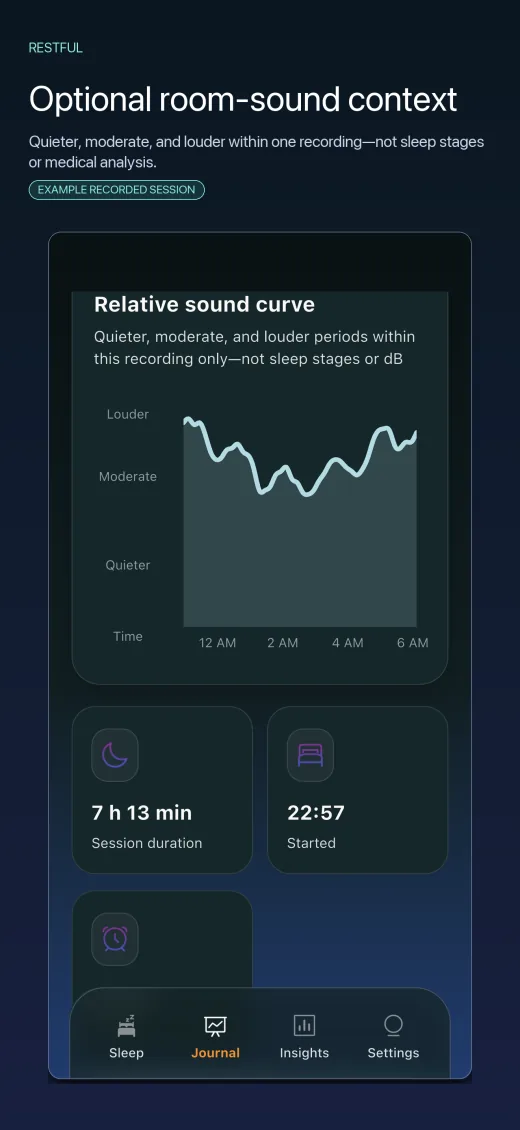
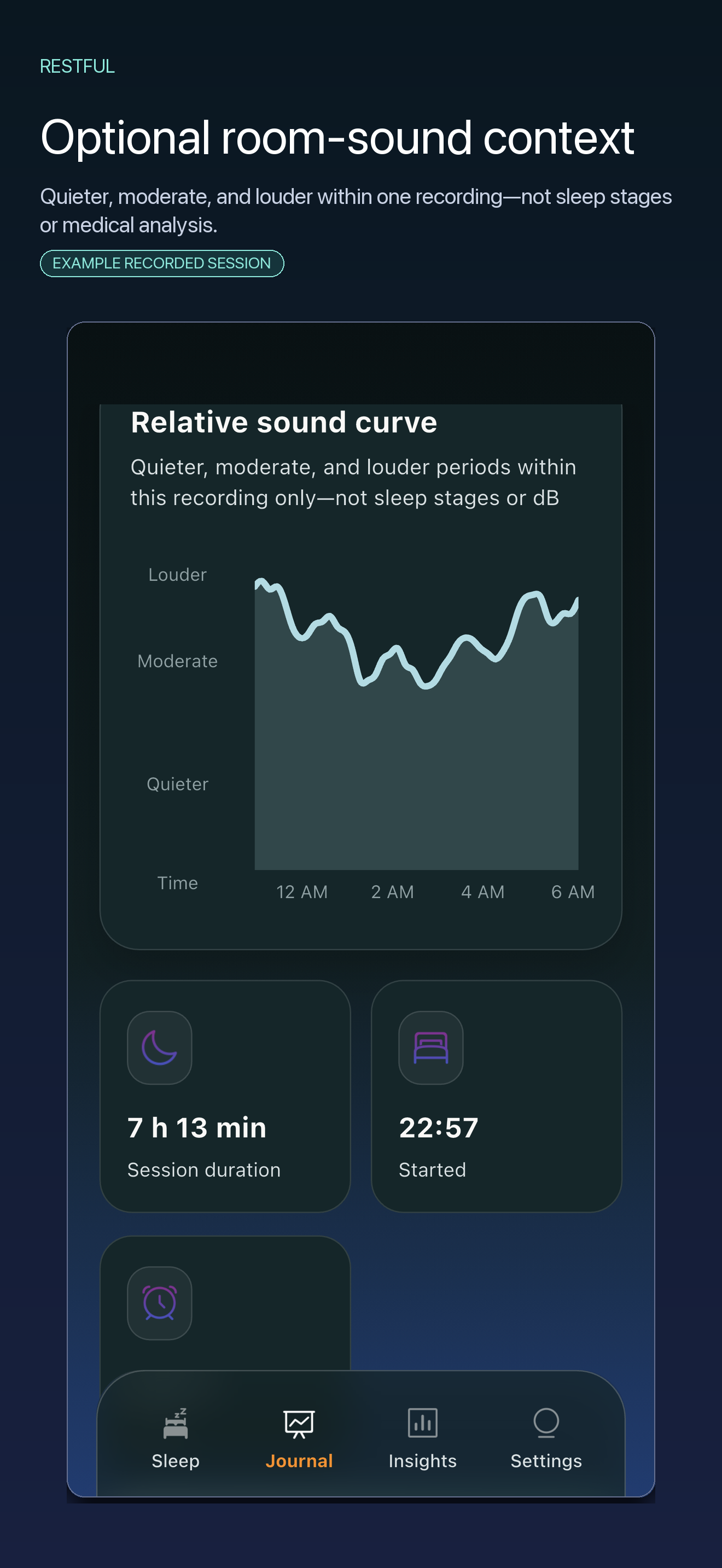
Compared with the same night. When the session ends, the minute values are smoothed into one point per ten minutes and ranked against the rest of that night, not against any fixed standard.
What version 1.0.8 shows. The curve’s axis reads Quieter, Moderate and Louder. Earlier versions labelled the quietest points “deep”, the loudest “awake” and the rest “light”, and showed a score and “Asleep” and “Deep sleep” times. Version 1.0.8 shows none of these; it still computes and stores them so that older journals stay compatible.
Times. “Started” and “Ended” are when you started and ended the session, not when you fell asleep or woke up.
What that means
Every night has a quietest and a loudest stretch
Because each night is scaled against itself, almost every curve runs from quieter to louder, however you slept. That is also why earlier versions put some “deep” and some “awake” in almost every journal.
It cannot tell if anyone is there
Nothing checks that a person is in the room, so a recorded session left running in an empty bedroom would still produce a journal.
Stillness is not sleep
Lying awake and still looks the same as sleeping quietly; earlier versions often labelled it deep sleep. A steady fan or white-noise machine does not stop the curve from spanning quieter to louder.
Interrupted minutes are missing
Since version 1.0.7, interrupted minutes are left out of the sound calculation, and a longer interruption can appear as a gap in the curve. Earlier versions filled whole interrupted minutes with silence, which could distort the labels.
The score is gone
Earlier versions showed a score that depended on how long the session ran about as much as on the sound pattern; sessions longer than about twelve hours scored at least 70. Version 1.0.8 shows no score.
No validation on record
The method was written in 2020–21 and tuned by hand. We have found no record of it being compared with a sleep study, a wearable or labelled recordings, and we make no accuracy claim for it.
Treat the chart as a record of when your room was quiet and when it was not. If you need to know your sleep stages, a sleep study or a validated wearable is built to estimate what Restful does not.
Privacy
What leaves the phone
What the current version (1.0.9) sends, when, and to whom, including the history of an audio-storage bug.
Never uploaded
Audio, the per-minute sound values, the curve and the journal. There are no accounts, and nothing in the current version uploads journals. Like other app data, journals are included in your own iCloud or computer backups if you use them.
Sent automatically to Sentry
When you open the app, or return to it after 30 seconds or more away, it sends Sentry, a third-party crash-reporting service, a session record with random identifiers and timestamps. Crash, error and hang reports can include the device model, iOS version, battery and charging state, and recent app events. Sentry receives the sending IP address; whether it stores that address depends on account settings not verified here. None of this includes audio or journal data, and there is no in-app setting to turn it off.
Sent only when you tap
Sharing a night summary through WeChat or the iOS share sheet, saving it to Photos, emailing us, or rating the app. The WeChat sharing library, closed-source code from Tencent, is loaded when the app opens; we have not audited its network behaviour.
Fixed in 1.0.7: audio left on the phone
Versions through 1.0.6 could leave raw audio on the phone: the piece being recorded when a session ended and any minute the app could not analyse. Since version 1.0.7, the app deletes pieces after analysis and at session end, stores new pieces outside device backups, and removes earlier local leftovers when it opens. It cannot remove copies already in older iCloud or computer backups.
Assets
Screenshots and icon
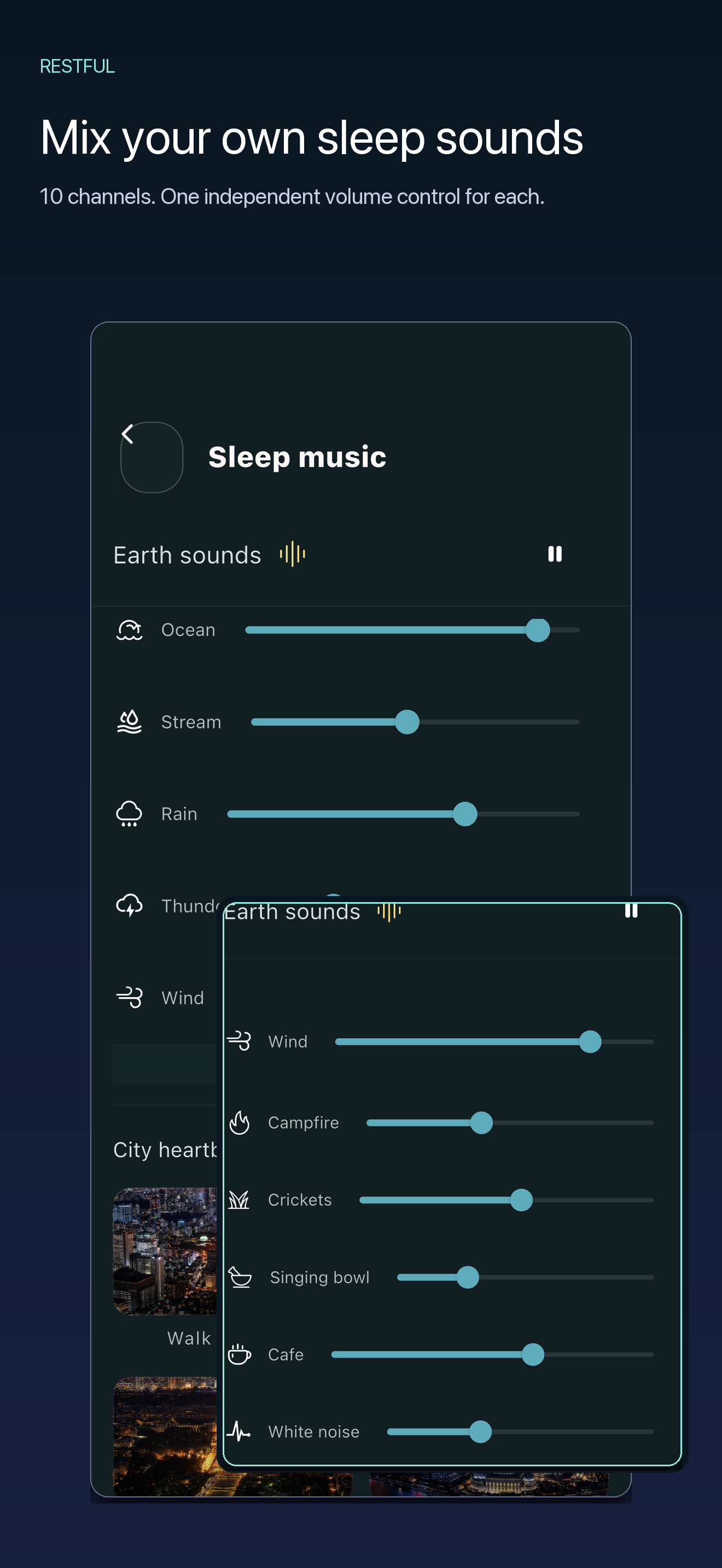
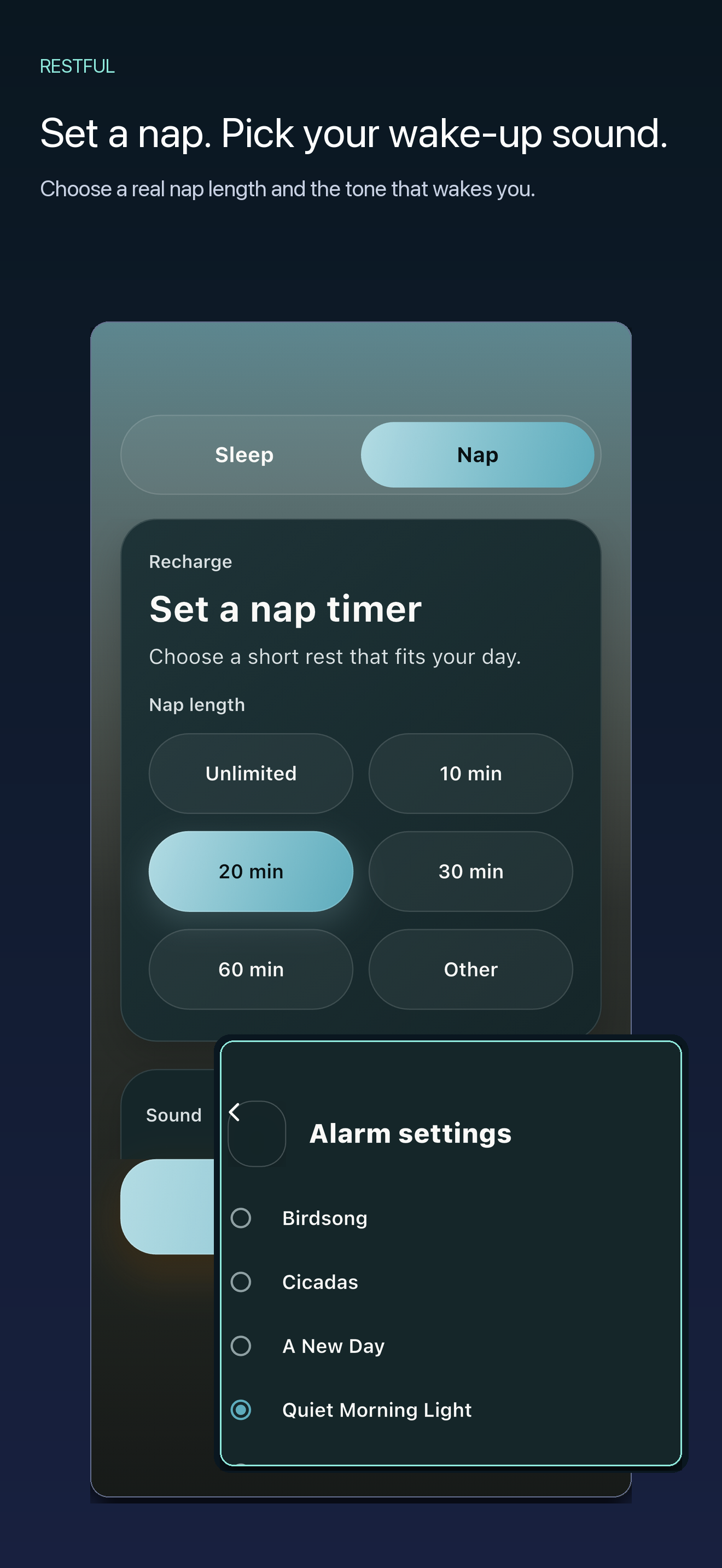
The five iPhone App Store screenshots of version 1.0.8: iOS Simulator captures with sample data, framed with the App Store captions. The curve, durations and times were made up for the screenshots, not produced by the app’s analysis of a real night. Full-resolution PNG, 1320 × 2868.
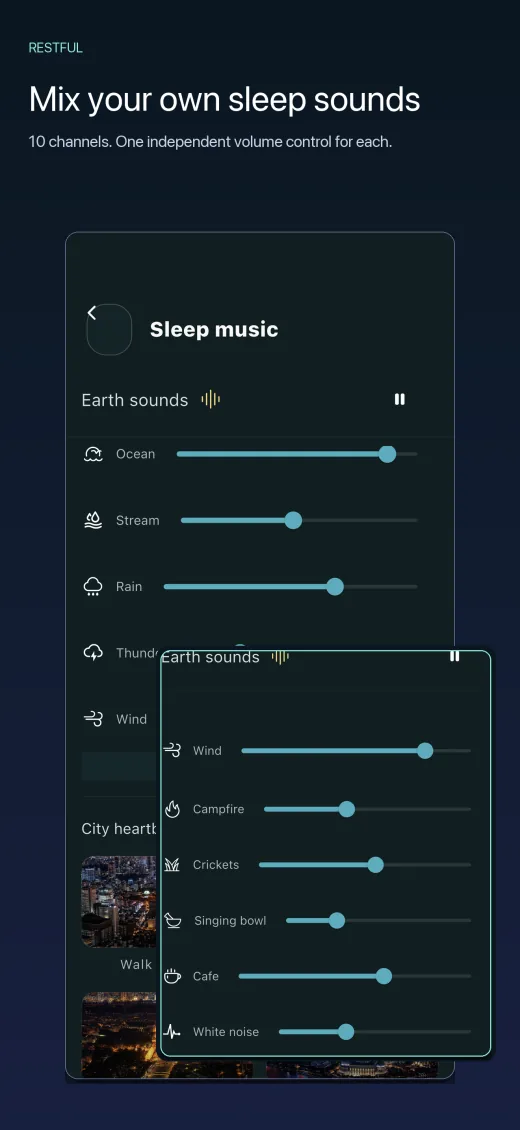
MixerThe ten-channel mixer, each channel with its own volume slider.Download PNG
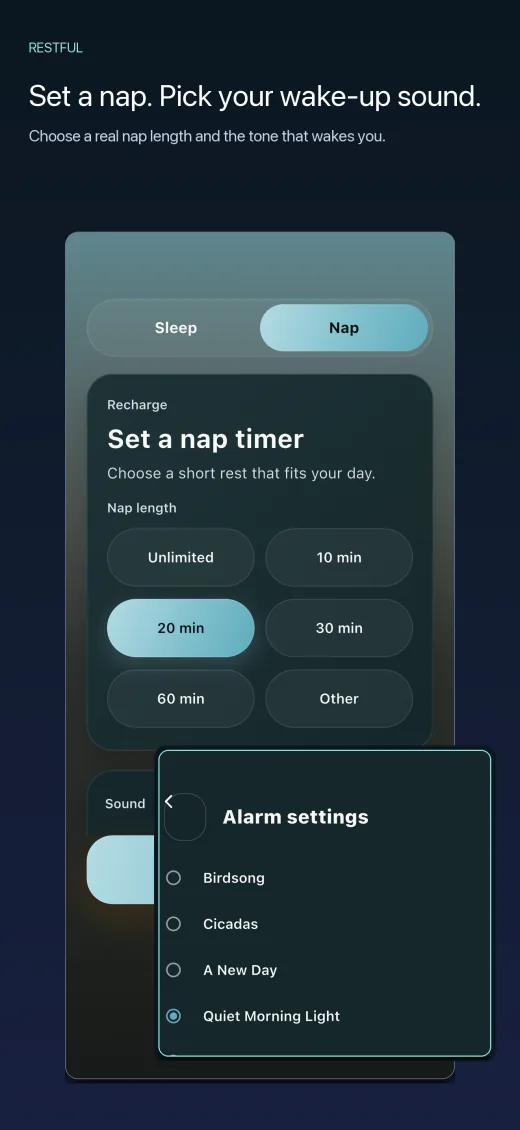
NapNap lengths, with 20 minutes selected, and the wake-up tone list.Download PNG
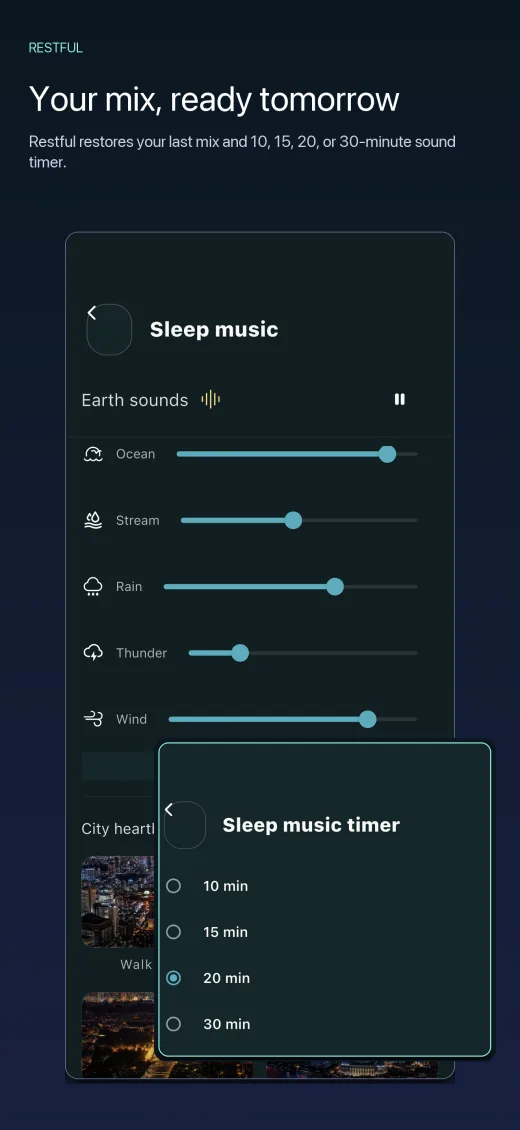
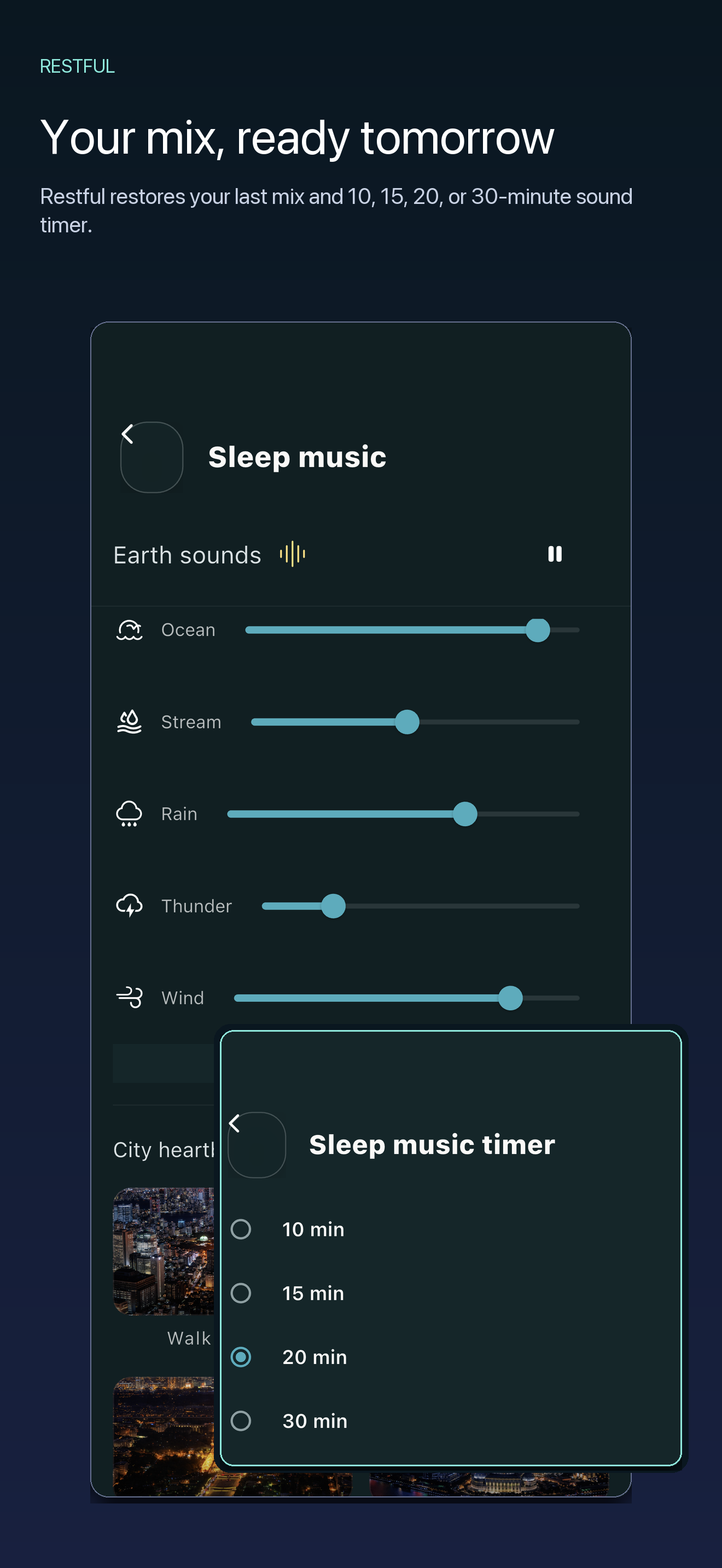
Saved mixA remembered mix and the 10, 15, 20 or 30 minute sound timer.Download PNG
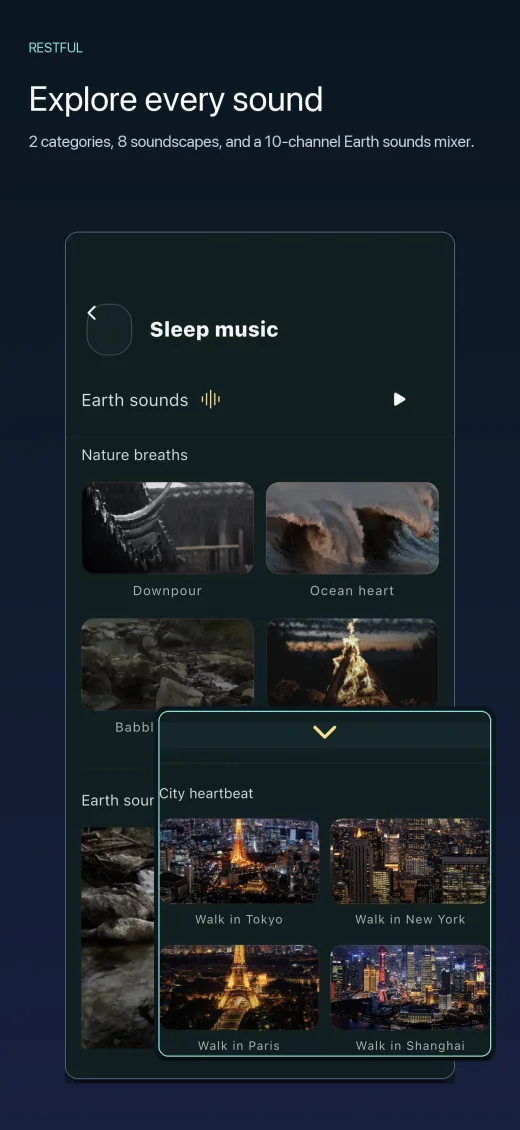
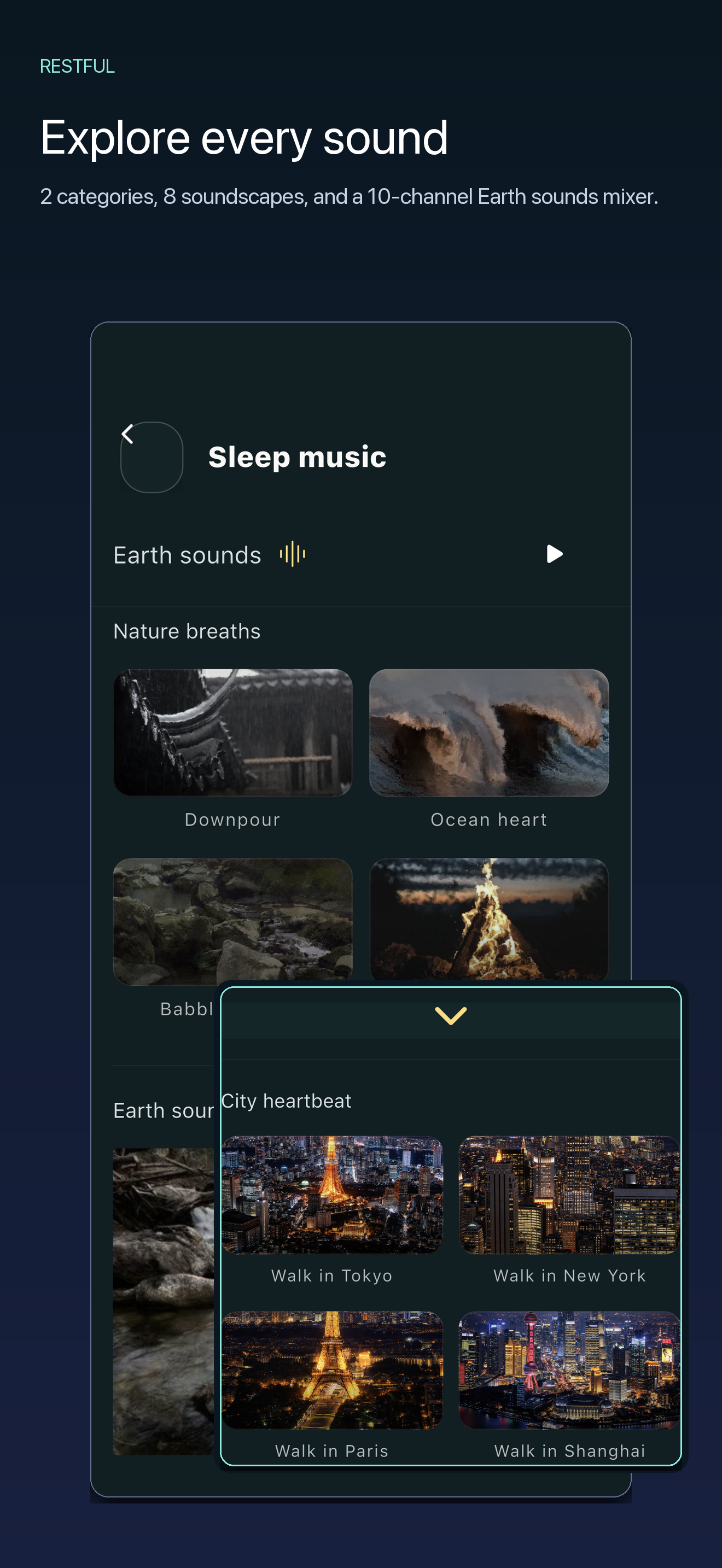
Sound libraryFour nature recordings and four synthesized city ambiences.Download PNG
Sound curveThe optional relative sound curve of one recorded night, marked Quieter, Moderate and Louder. It is off by default and shows no sleep stages.Download PNG
You are welcome to use the icon and screenshots in coverage of Restful. Please do not alter the numbers shown in a screenshot. Apple, iPhone, iPad and App Store are trademarks of Apple Inc.
Contact
Questions, corrections, review codes
Email knowhiz.us@gmail.com. We answer technical questions about how the tracking works, including everything on this page.
Review codes are available on request. Tell us which country’s App Store you use, because a code only redeems in the store it was issued for. A code comes with no conditions: we do not ask for coverage or for a positive review.